

Mechanism of Quantity#


Introduction#
In this section, we will introduce the mechanism of quantity, dimension, and unit in brainunit for advanced users.
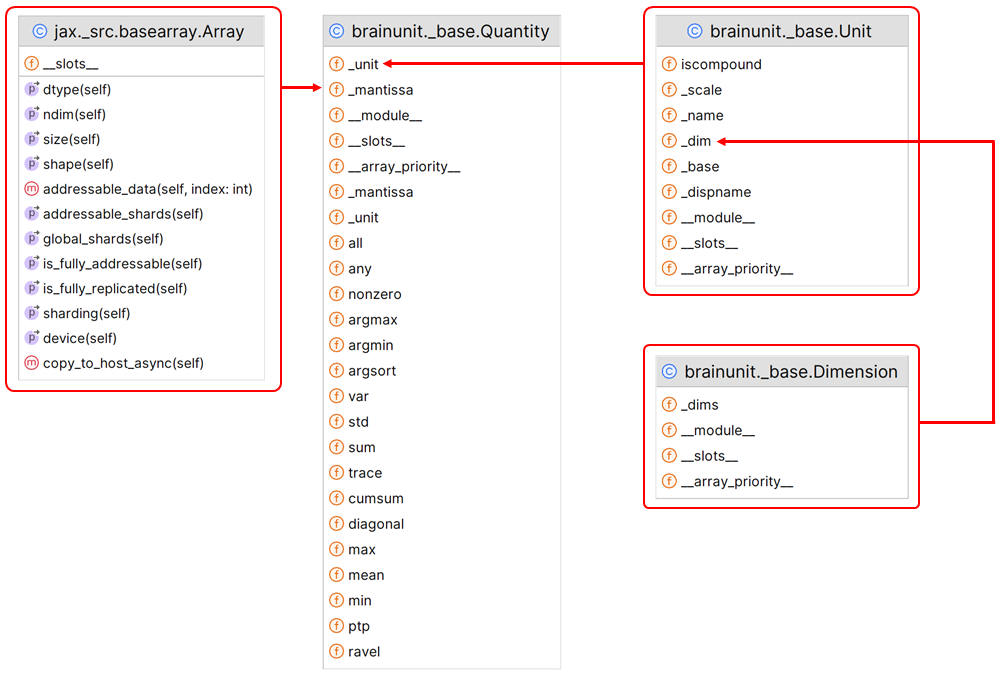
The basic design is shown in the following figure.
Dimension#
The Dimension class represents the dimensions of physical quantities in terms of the seven basic SI units (length, mass, time, etc.). It provides arithmetic operations for dimensions, such as multiplication, division, and exponentiation.
Key Features:
Storage of Dimension Exponents: Uses a tuple _dims to store the exponents for each base SI unit.
Immutability: Ensures immutability by disabling increment operators (e.g., imul, idiv, etc.).
Dimension Arithmetic: Supports multiplication (mul), division (div), and power (pow) operations, creating new dimension objects.
Comparison: Supports dimension comparison through eq and ne methods.
Singleton Pattern: Utilizes the get_or_create_dimension function to ensure that instances of the same dimension combination are the same object.
Units#
The Unit class represents a physical unit, such as meters, seconds, etc. It includes methods for creating units, performing arithmetic operations, and checking unit compatibility.
_base: The base value of the unit (as the base of the exponent)._scale: The scale of the unit, represented as an exponent of_base._dim: TheDimensionof the unit._dispname: The display name of the unit._name: The full name of the unit.is_fullname: A flag indicating whether the unit has a registered display name (as opposed to an auto-generated one from its dimension).
The __init__ method initializes these attributes based on the provided parameters. The scale attribute is crucial for scaling the unit, as it determines the prefix (like kilo, milli, etc.) that should be applied to the base unit.
Scaling in the Unit class is handled through the _scale attribute and the use of standard SI prefixes. The create_scaled_unit method is used to create a new unit that is a scaled version of an existing base unit. This method takes a baseunit and a scalefactor (the prefix like “m” for milli) and adjusts the scale attribute accordingly. For example, if the baseunit is metre and the scalefactor is “k” (for kilo), the scale would be increased by 3 (since kilo represents 10^3).
See more details of creating units at link.
Quantity#
The Quantity class represents a physical quantity with a numerical value and a unit. It is the core class for handling physical quantities in brainunit.
Key Features:
Mantissa and Unit: Stores the numerical value (_mantissa) and the unit (_unit).
Unit Handling: Works in conjunction with the Unit class to handle conversions between different units.
Arithmetic Operations: Supports all basic arithmetic operations, ensuring dimensional consistency.
Dimension Checking: Automatically checks for dimensional consistency during operations, throwing a DimensionMismatchError if inconsistencies are found.
Unit Conversion: Provides methods like in_unit and in_best_unit to convert the numerical representation to different units.
Integration with NumPy and JAX: Supports interoperability with NumPy and JAX arrays, allowing the use of these libraries’ functionalities on physical quantities.